
Development of Point2Solid Studio has moved on considerably since our last update. What started primarily as a way of taking point-cloud and mesh data and producing something more useful for CAD is gradually becoming a much broader scan-to-CAD and reverse-engineering workspace.
There have been successes, plenty of experiments that did not work as expected, and several changes of direction along the way. But we are now reaching the point where an imported scan can be aligned, analysed and converted into geometry that is genuinely useful for further CAD work.
From a scan to editable geometry
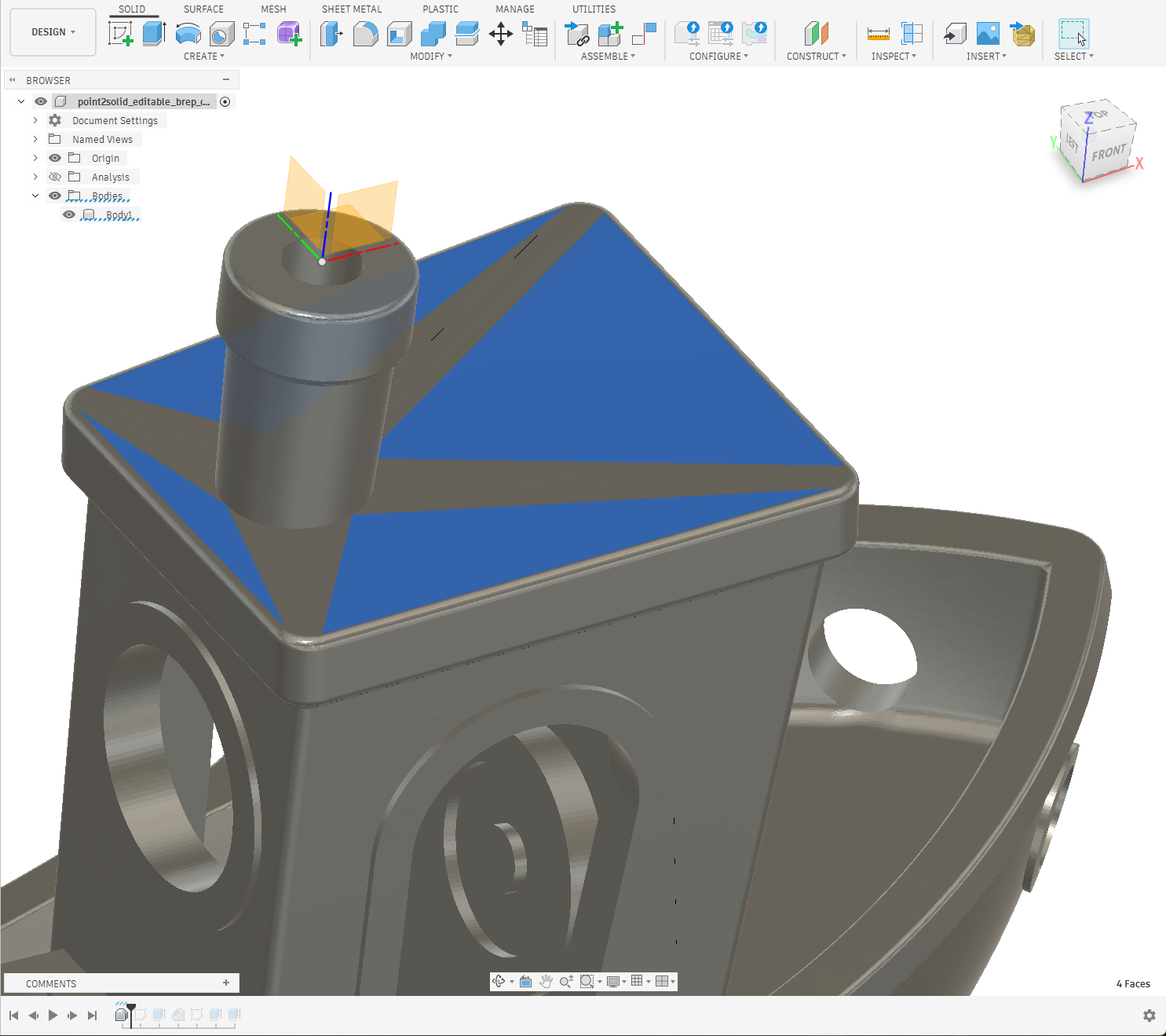
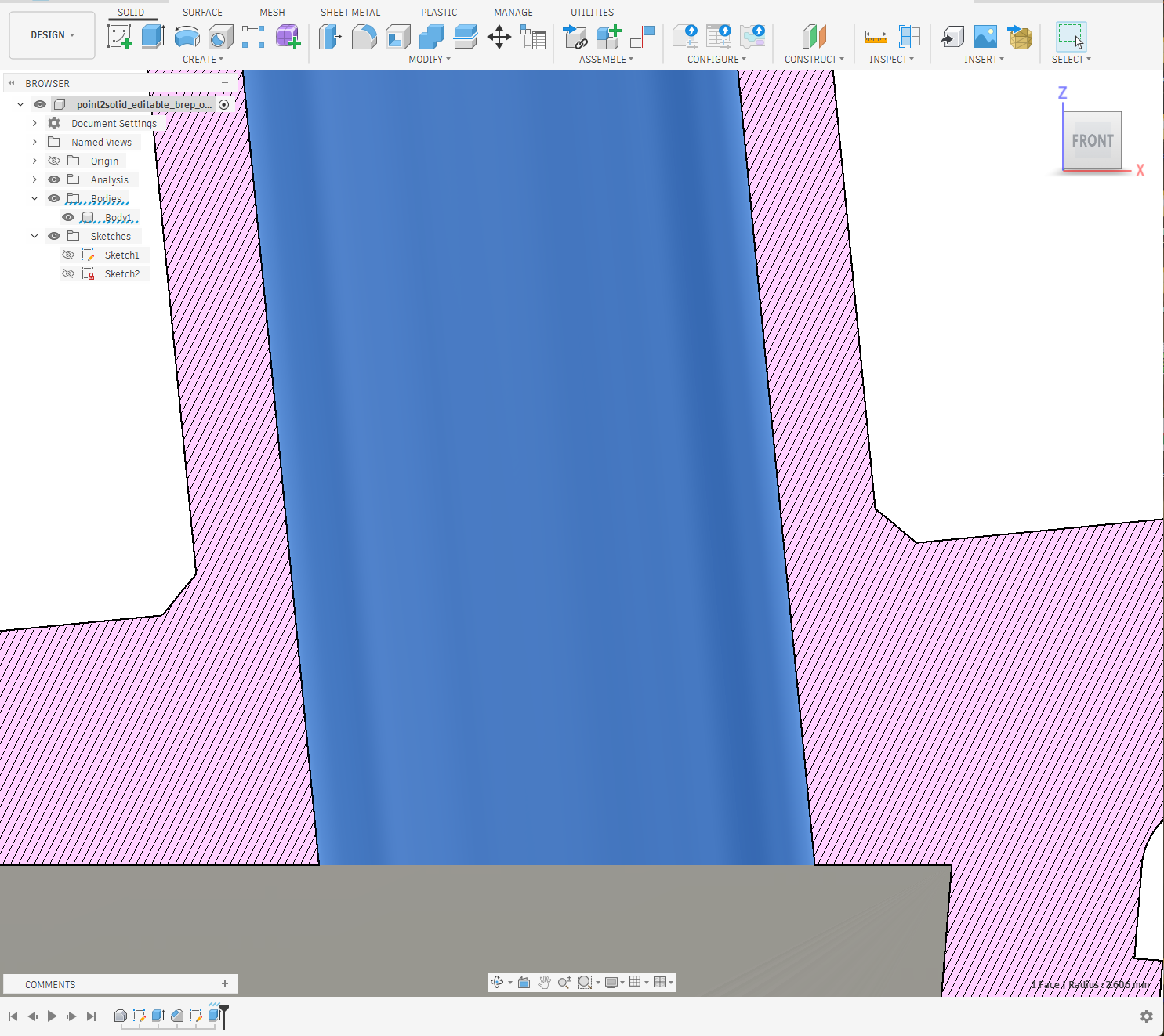
One of the biggest milestones has been producing editable BRep CAD models rather than simply wrapping a mesh inside a STEP file.
The result can now be opened in a CAD system such as Autodesk Fusion, where individual faces can be selected, sectioned and used as the starting point for further modelling. This is an important distinction: the aim is not merely to change the file extension from STL or PLY to STEP, but to create geometry that can actually form part of a reverse-engineering workflow.
Alignment, origins and useful CAD planes
Conversion is only one part of reverse engineering. A beautifully reconstructed model is not much use if it arrives in CAD at an arbitrary angle with an origin somewhere in space.
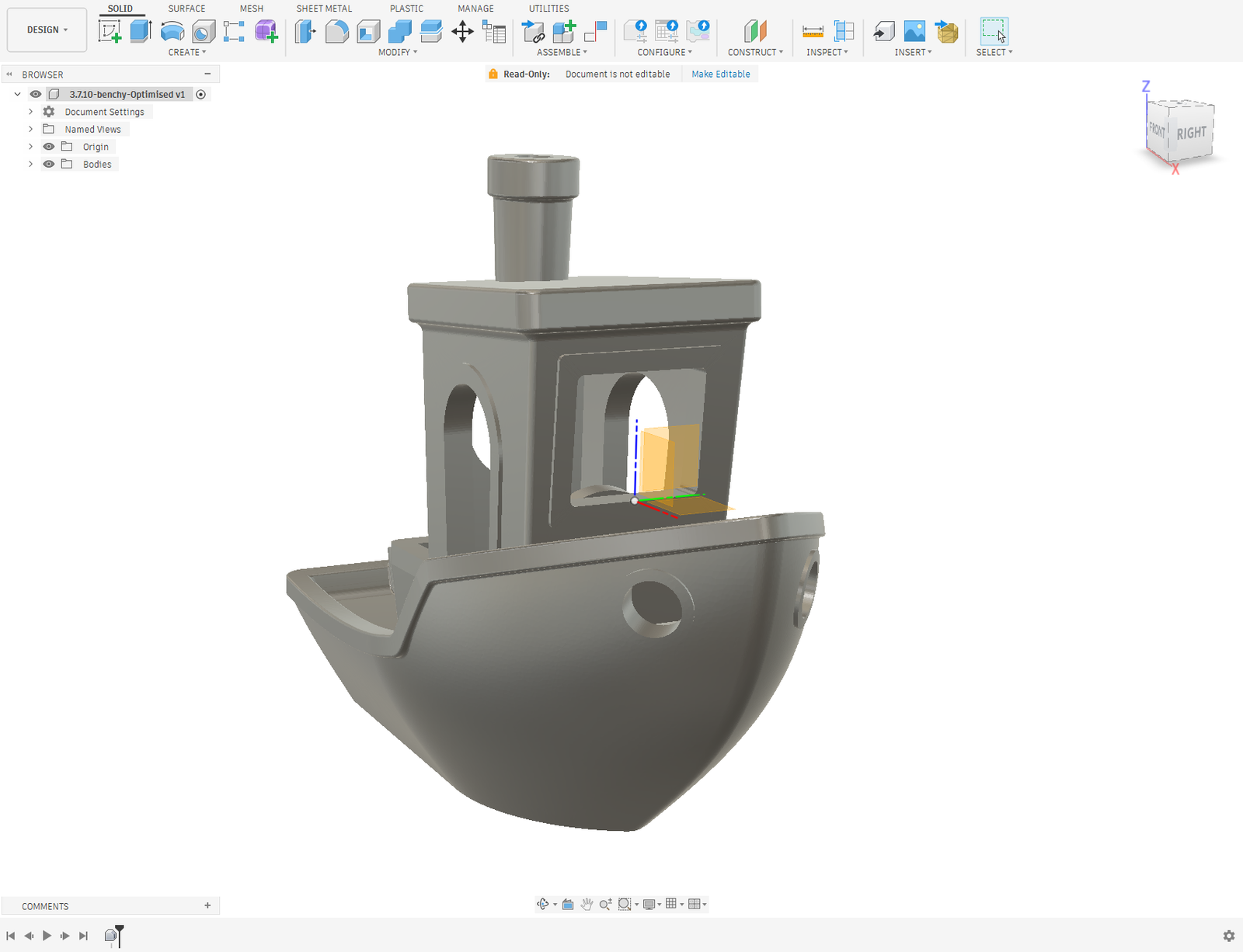
Point2Solid therefore includes tools for establishing the model’s engineering orientation, datum and origin. We have also been working extensively on recognising and creating proper planar references so that important surfaces can become sensible locations for sketches and subsequent CAD operations.
Reverse engineer in Point2Solid – or in your favourite CAD package
Our original thinking was that Point2Solid should prepare the scan and then hand it over to CAD. We are now going further by adding 3D modelling and reconstruction tools directly inside Point2Solid Studio.
This does not mean forcing everyone into one workflow. Quite the opposite.
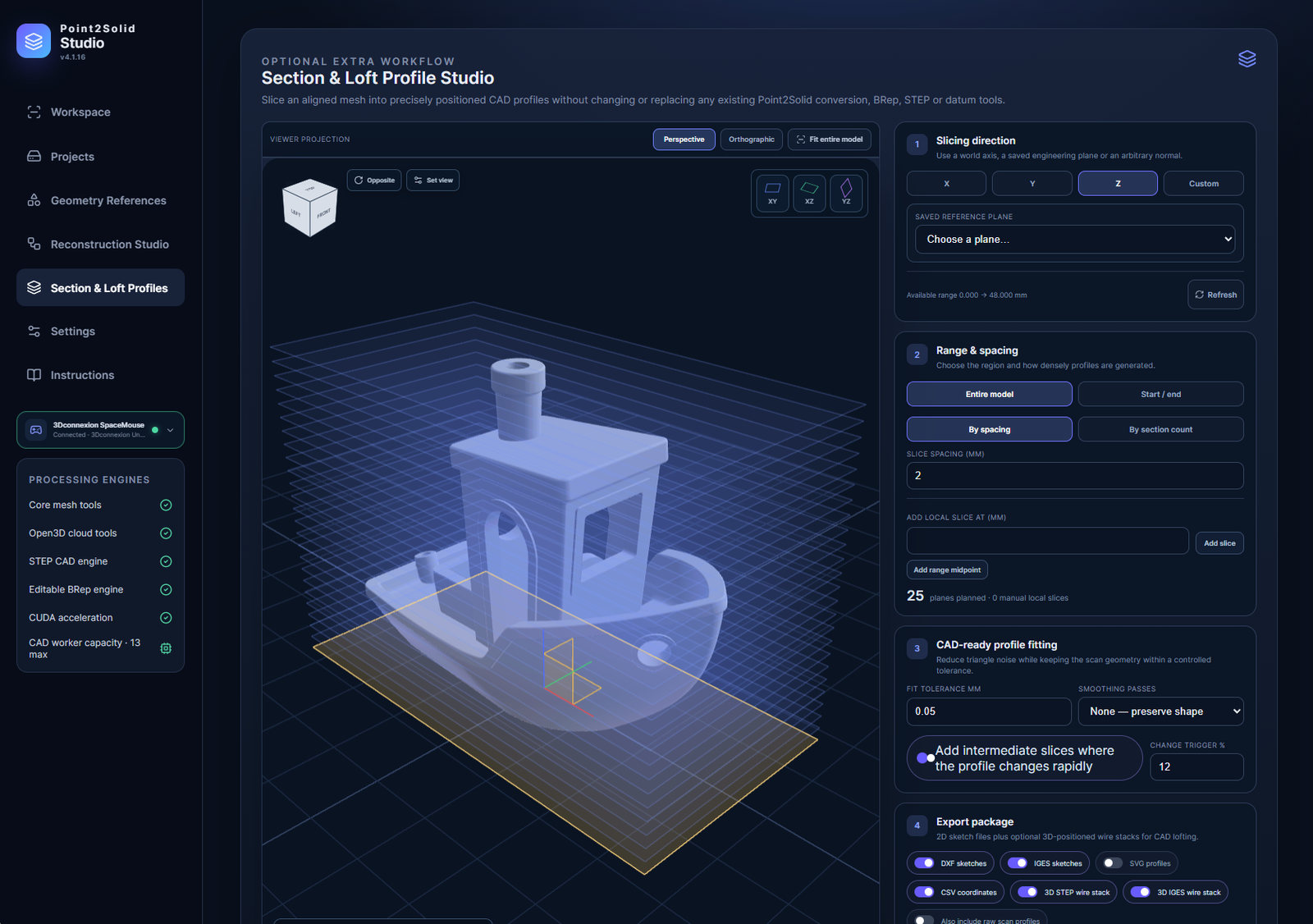
If you prefer Fusion, SolidWorks, FreeCAD or another CAD package, Point2Solid can concentrate on cleaning, alignment, geometry recognition, sections and producing an editable CAD starting point. If you would rather reconstruct more of the component before leaving Point2Solid, the developing Reconstruction Studio and Section & Loft tools provide that route instead.
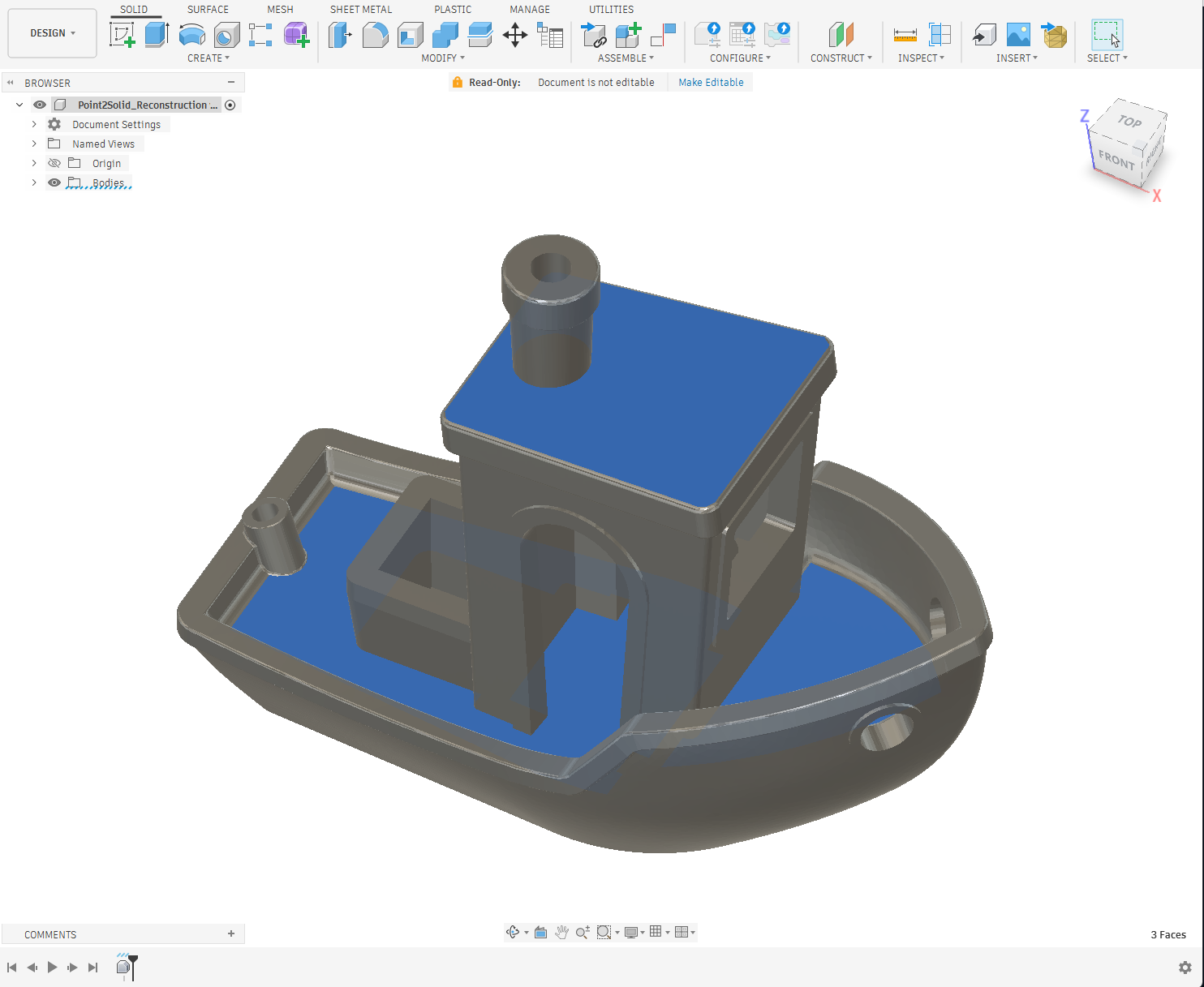
The different Studios share the same model and geometry references, so the intention is that you can move between workflows without starting again. Detect a plane in one area, use it for sectioning in another, construct geometry from those sections and finally apply the required datum before export.
What hasn’t worked?
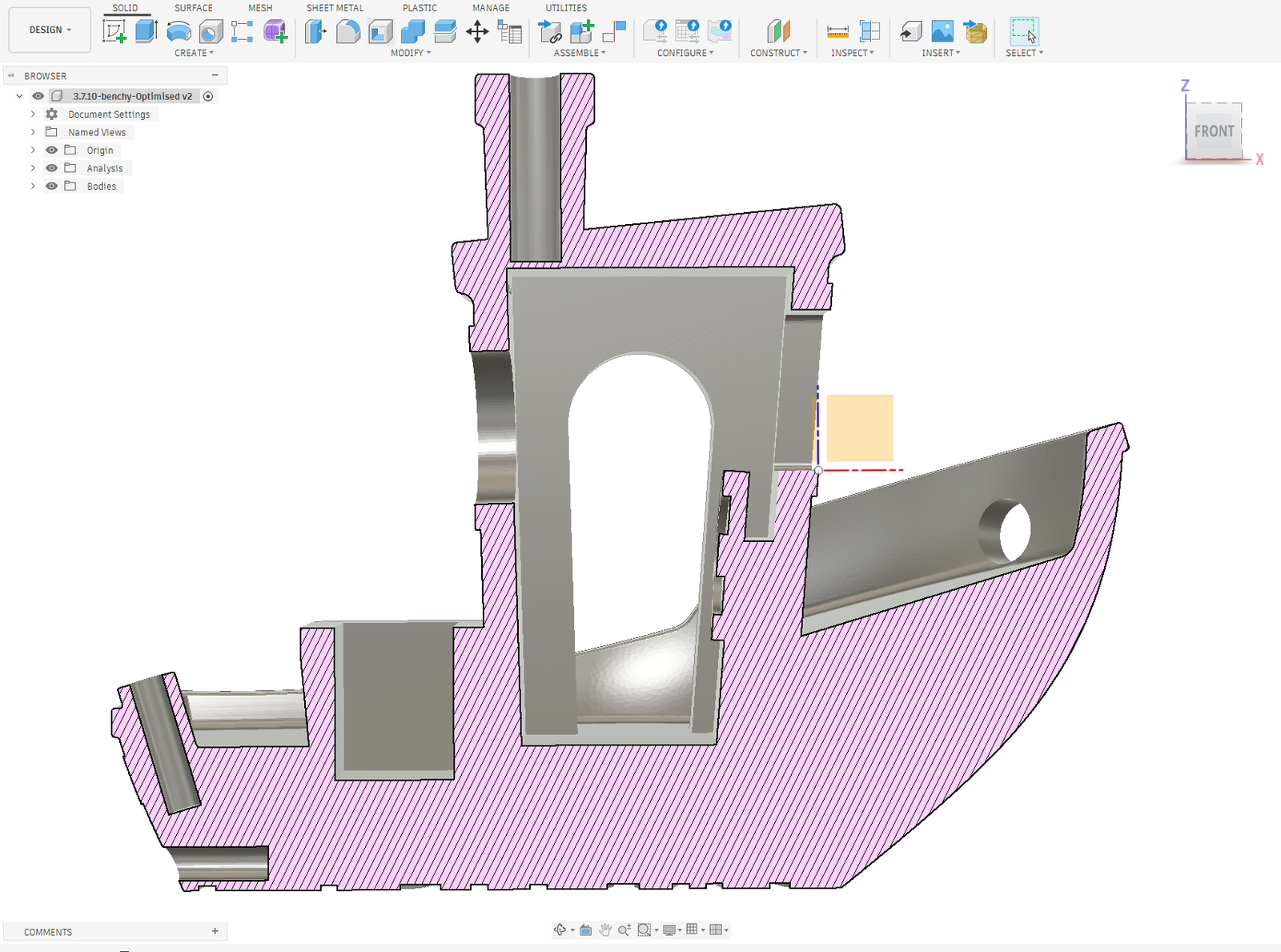
Not every attempt has produced a model we would consider good enough. We have generated surfaces that looked convincing on screen but were too complicated for practical CAD editing. Other tests exposed problems with section continuity, lofting, face construction and selecting the correct plane for a new sketch.
Those failures have actually been some of the most useful parts of development. Instead of hiding them with a prettier mesh, they have led to changes in how Point2Solid recognises planes, fits profiles, constructs surfaces and decides which geometry should remain exact and which should follow the scan.
Keeping the real object at the centre of development
We are continuing to test Point2Solid against real scanned and manufactured objects rather than only perfect CAD test shapes. Benchy has been particularly useful because its mixture of flat surfaces, bores, curved hull surfaces, arches and small details exposes weaknesses very quickly.
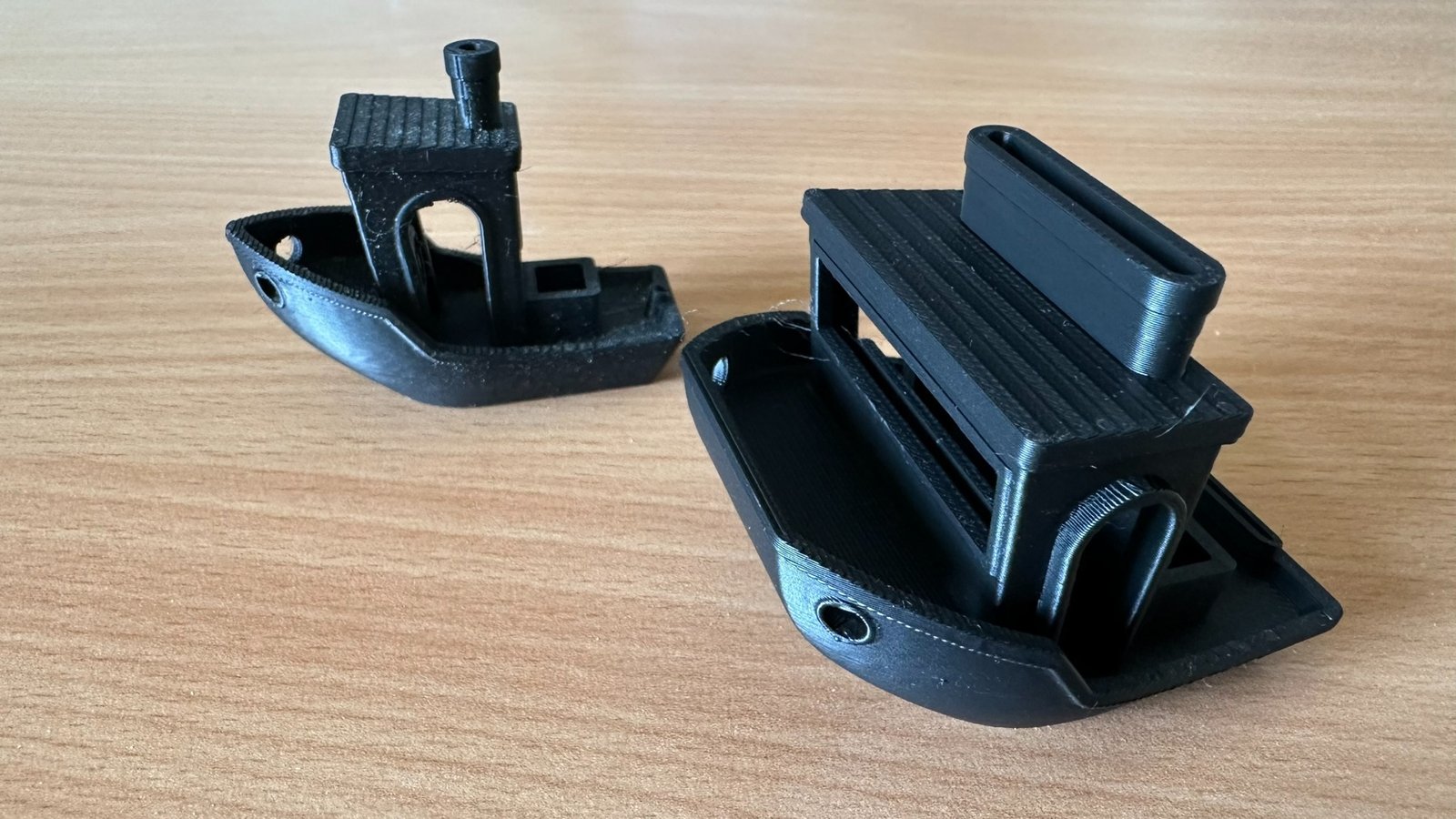
Point2Solid Studio is still very much in active development, but the pieces are beginning to come together: scan preparation, alignment, geometry references, section profiles, editable BRep conversion and now increasingly the reconstruction of new CAD geometry inside the application itself.
The goal remains simple: make the journey from point cloud → mesh → aligned model → editable CAD far less painful, while still allowing each user to choose how much of that journey they want Point2Solid to handle.
Scan – Model – Align.